

Gemini Omni Flash 1.1 — AI Video Model
Gemini Omni Flash 1.1 gives you access to premium video features like 4K resolution, conversational editing, and multi-modal references, at an affordable cost and fast generation speed.
Community Creations
See how creators use Gemini Omni Flash to make chat-edited product ads, restyled social clips, and character-led explainers, all inside one OpenArt workflow.
Key Features of Gemini Omni Flash 1.1
Up to 4K Video Outputs
Gemini Omni Flash 1.1 gives you ultra HD 4K outputs in OpenArt's AI video generator, a big step up from the original Omni Flash model. Because the video comes out at 4K, you don't need to run it through a separate AI video upscaler. You can publish it as it is, whether it's a YouTube video, a product ad, or something you're making for a personal project. The details, the way things move, and characters' faces all stay sharp and detailed at 4K.
Try it NowMultimodal References and Start/End Frames
Gemini Omni Flash 1.1 takes reference images and uses them as your start and end frames. You decide how the video opens and where it lands. The model generates everything in between, so the whole clip is one smooth move from your first picture to your last. Beyond that, Gemini Omni Flash 1.1 can take text, video, and image inputs at the same time to guide what it makes.
Try it NowConversational Video Editing
Conversational video editing is the star here. Change any character, object, or detail just by describing it in plain language, with no timelines or masks to manage. Ask Omni Flash 1.1 to swap a character, replace a prop, or warm up the lighting, and it applies the change while keeping the rest of the scene, motion, and framing intact. In essence, Omni Flash 1.1 handles both fresh AI video generations and generative edits to any reference video you give it.
Try it NowScene Extensions and Continuous Shots
Omni Flash 1.1 makes clips up to 10 seconds long. It can also read the last 10 seconds of a clip and build the next 10 seconds from that, so a new scene picks up where the old one left off. OpenArt has a separate extend video tool that does this too, but Omni Flash 1.1 is strong at making a new clip feel like a natural continuation of the one you feed it as the last reference.
Try it NowAccurate Text That Tracks Action
Connect on-screen text and graphics to the action in your video with a simple prompt. The text is spelled correctly and moves smoothly through the scene, so a title can follow a person or a label can stay stuck to a product as it moves. Put the exact words in your prompt and Omni Flash 1.1 places them cleanly inside the video.
Try it NowHow to Use Gemini Omni Flash on OpenArt
Three simple steps from prompt to finished clip.
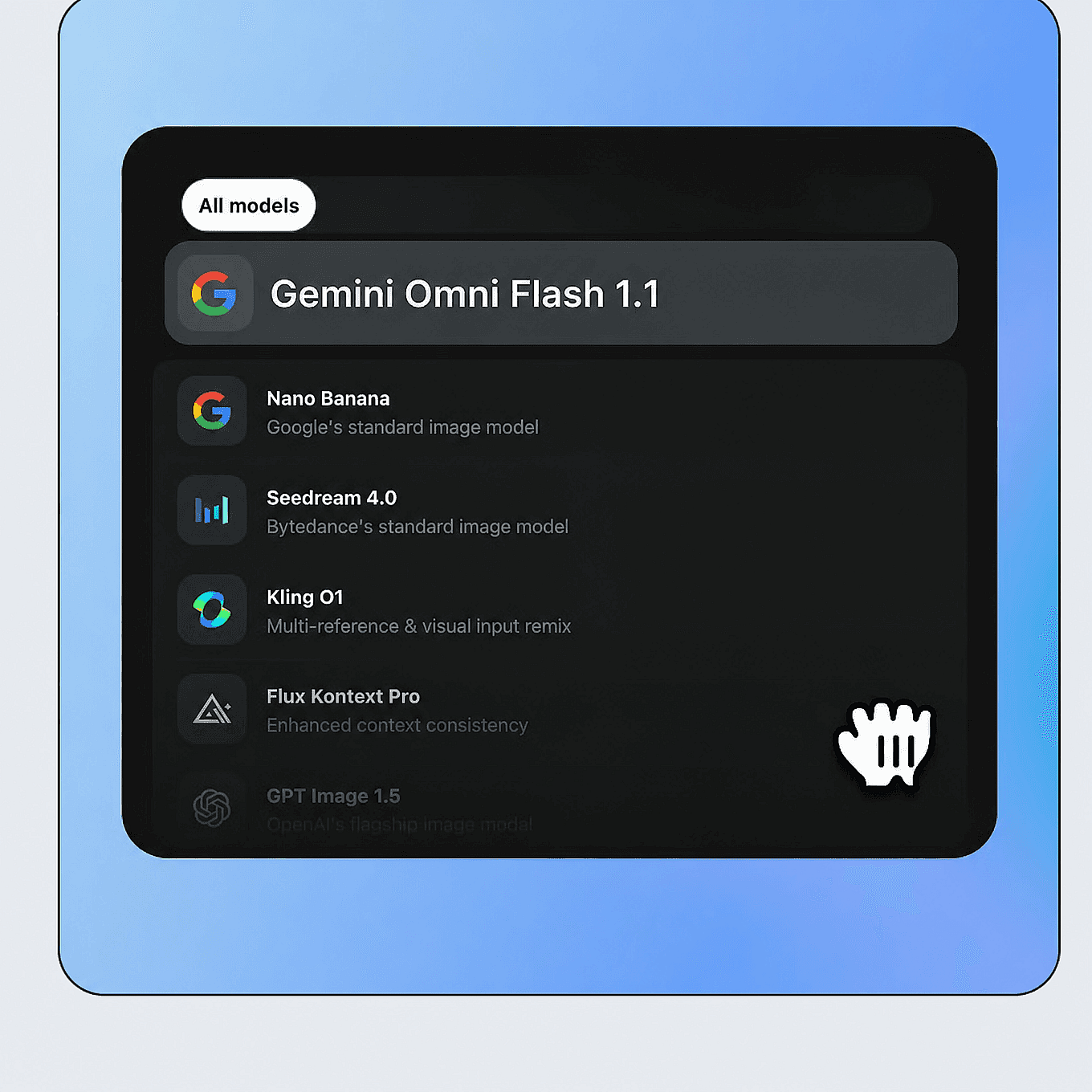
Choose Gemini Omni Flash
Open OpenArt's video tools, select Text to Video or Image to Video, and pick Gemini Omni 1.1 Flash from the model menu.
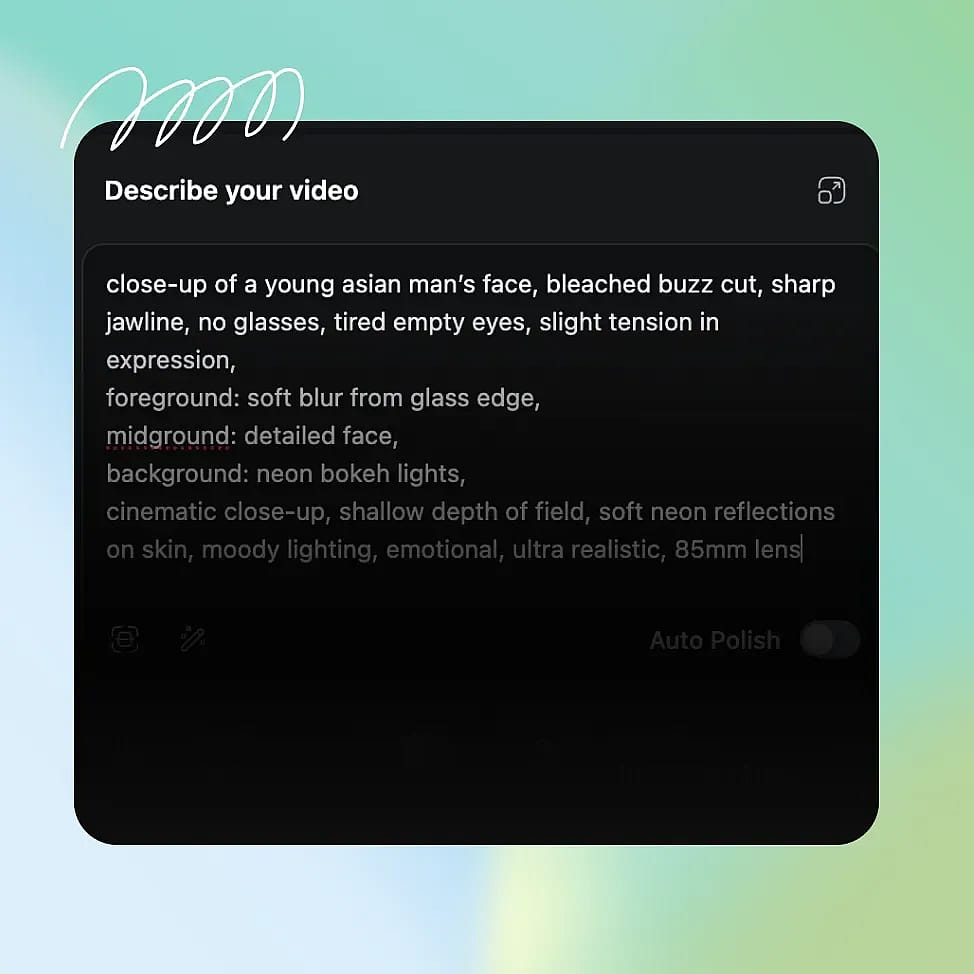
Prompt or Add References
Describe your scene: subject, action, setting, and any on-screen text you want. Add image or short video references to guide composition, character, or style.
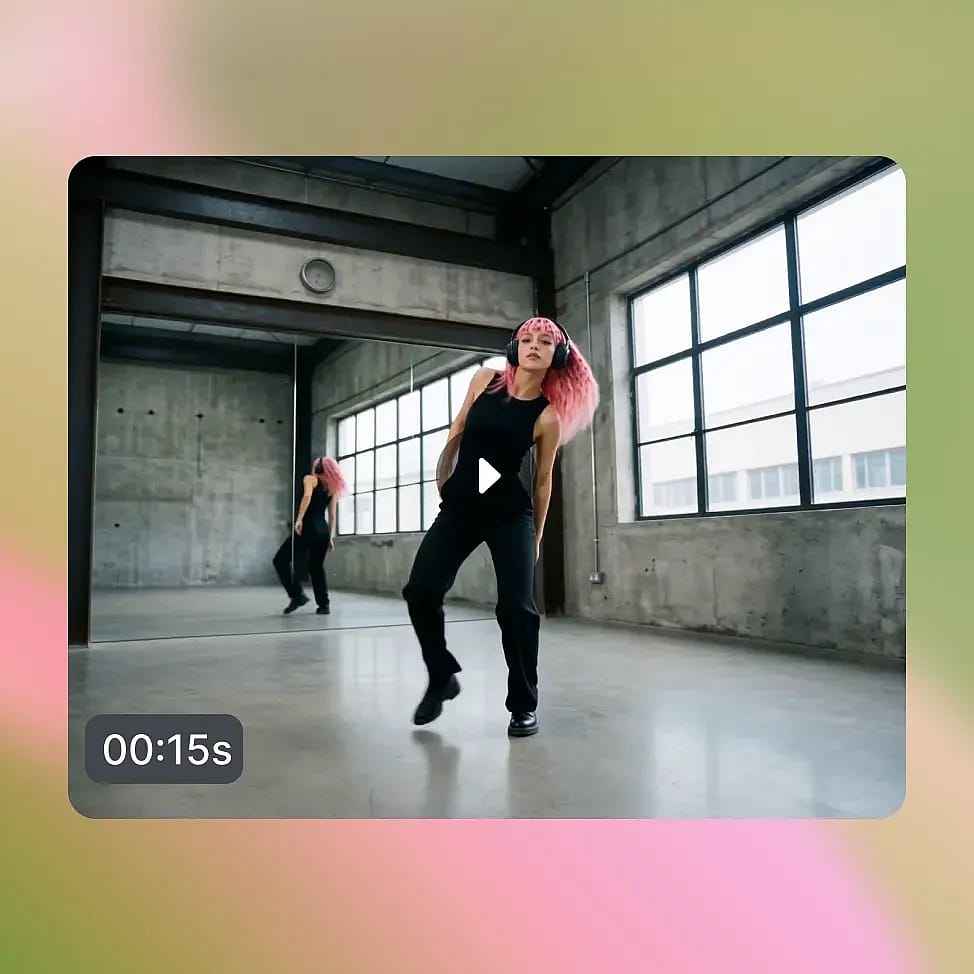
Download or Refine by Chat
Generate your clip, then refine it with follow-up chat prompts to swap elements, change the style, or fix details. Download when ready.
Built for Fast, Iterative Video Content
Omni Flash 1.1 fits pipelines where speed and cost per iteration decide how much you can ship.
Ideate, Animate, and Edit
Describe a short story in plain language, generate the first clip, and refine it by chatting, all without switching tools. Continue to the next shot while your look, characters, and pacing stay consistent. Because generation is fast and edits happen in chat, you move from idea to finished clip in one session, with native sound generated alongside the video.
Try it NowMultilingual Social and Brand Content
Spin up localized versions of the same ad or social clip for different markets, then adjust the copy and scene by chatting. Landscape and vertical outputs (16:9 and 9:16) are ready for every platform, so one idea can fill your whole content calendar. Fast, low-cost generation means you can test more variants and keep posting without blowing the budget.
Try it NowCharacter-Led Vlogs and Series
Pair Omni Flash 1.1 with OpenArt Characters to keep the same face, outfit, and style across every episode of a vlog or short series. Generate each installment quickly, then adjust wardrobe, setting, or action by chatting instead of restarting. Consistent characters plus fast turnaround make it practical to run an ongoing series on a schedule.
Try it NowExplainer Content at Scale
For educational and explainer content, Omni Flash's real-world knowledge and accurate on-screen text keep the facts and labels correct. Produce a batch of short lessons, product walkthroughs, or how-to clips with clear graphics and synced captions. Low cost per clip makes it realistic to build a full library rather than a single video.
Try it NowTips for Best Results

Lead with the scene, then edit
Generate a full base clip first, then use chat prompts for fixes. Omni Flash's editing shines when you treat the first generation as a starting draft rather than a one-shot render.

Keep your prompt simple
Lean on the model's world knowledge instead of over-describing every detail. Short, clear prompts often get strong adherence, and you can layer in specifics through follow-up edits.

Leverage references the right way
Add a reference image for characters or style, and keep video references to short clips. Combining reference types holds consistency across a scene better than text alone.

Put exact text in quotes
Write the on-screen words in quotes inside your prompt, and keep lines short and high-contrast. English renders most reliably, so keep dense-text shots concise.
Get Insights from Experts Blog
Get the insights you need. Our experts share actionable hacks, break down the hottest topics, and provide essential how-to guides to help you build, optimize, and scale.
Read More
Loved by Creators
I've tried many AI platforms... but OpenArt is still the best for character creation, image-to-video quality, and the variety of models available.
OpenArt offers an excellent array of AI tools... once you learn the features, the creative possibilities are amazing - and their support team is outstanding.
OpenArt is a very versatile AI platform with many image and video models, consistent character creation, and powerful editing tools.
Helpful AI tools all in one place - image and video generation, editing, and more... no need for multiple subscriptions.
Customer service is always quick and helpful... and the platform keeps getting better with new features and tools.
I've tried many AI platforms... but OpenArt is still the best for character creation, image-to-video quality, and the variety of models available.
OpenArt offers an excellent array of AI tools... once you learn the features, the creative possibilities are amazing - and their support team is outstanding.
OpenArt is a very versatile AI platform with many image and video models, consistent character creation, and powerful editing tools.
Helpful AI tools all in one place - image and video generation, editing, and more... no need for multiple subscriptions.
Customer service is always quick and helpful... and the platform keeps getting better with new features and tools.
I've tried many AI platforms... but OpenArt is still the best for character creation, image-to-video quality, and the variety of models available.
OpenArt offers an excellent array of AI tools... once you learn the features, the creative possibilities are amazing - and their support team is outstanding.
OpenArt is a very versatile AI platform with many image and video models, consistent character creation, and powerful editing tools.
Helpful AI tools all in one place - image and video generation, editing, and more... no need for multiple subscriptions.
Customer service is always quick and helpful... and the platform keeps getting better with new features and tools.
With so many AI platforms out there, OpenArt stood out as a stellar choice - I'd recommend it to any creator.
This platform includes everything you need for AI content creation - images, video, characters, audio, and multiple AI models in one place.
OpenArt is pushing the boundaries of AI video creation... and it's clear the team is committed to improving the creator experience.
I made my first AI music video with OpenArt... and their support team was the best help I've ever experienced.
I'm very happy with the support - my issue was resolved quickly and the team made the process easy.
With so many AI platforms out there, OpenArt stood out as a stellar choice - I'd recommend it to any creator.
This platform includes everything you need for AI content creation - images, video, characters, audio, and multiple AI models in one place.
OpenArt is pushing the boundaries of AI video creation... and it's clear the team is committed to improving the creator experience.
I made my first AI music video with OpenArt... and their support team was the best help I've ever experienced.
I'm very happy with the support - my issue was resolved quickly and the team made the process easy.
With so many AI platforms out there, OpenArt stood out as a stellar choice - I'd recommend it to any creator.
This platform includes everything you need for AI content creation - images, video, characters, audio, and multiple AI models in one place.
OpenArt is pushing the boundaries of AI video creation... and it's clear the team is committed to improving the creator experience.
I made my first AI music video with OpenArt... and their support team was the best help I've ever experienced.
I'm very happy with the support - my issue was resolved quickly and the team made the process easy.
Frequently Asked Questions
Gemini Omni Flash 1.1 is Google's latest, fast & cost-efficient video generation and editing model, part of the Gemini Omni family. It creates 4K video from text, images, and short video references, and it lets you edit clips by chatting in plain language.
It is built for speed and low cost per generation, which makes it a strong fit for high-volume, iterative work alongside models like Veo 3.1, Seedance 2.0, and Kling Omni on OpenArt.
Omni Flash 1.1 generates short clips from 3 to 10 seconds long, as you specify. On OpenArt, you can extend a shot with Extend Video or add length in follow-up generations when a project needs more video runtime.
Yes. You can combine image, text, and short video clip references to guide composition, character, and style. Keep video references to short clips for the most reliable results.
Gemini Omni Flash and the newere 1.1 variant is fully accessible and usable now on OpenArt, running on Google's direct API, supporting the AI video model's full features and capabilities. Just navigate to the AI video tools and choose it in the model selection menu to start using it.
No. Gemini Omni Flash is a dedicated video generation and editing model in the 2026 Gemini Omni family, not the older Gemini 2.0 Flash language model.
Gemini Omni Flash 1.1 has four resolution options on OpenArt: 360p, 720p, 1080p, and full 4K.
Every new OpenArt account starts with 40 free credits so you can try the product right away. When you're ready to create more, paid plans add monthly credits and watermark-free downloads.