

OpenArt VFX - AI Video Effects for Your Footage
VFX is a brand-new video transformation suite by OpenArt. Upload any clip and replace the background, relight the full scene, or apply frame-level video effects to a specific region. Three modes, one upload, results in minutes.
Community Creations
See how creators, filmmakers, and brand teams are changing backgrounds, lighting, and whole scenes with OpenArt VFX.
What OpenArt VFX Can Do to Your Footage
OpenArt VFX runs on Beeble's SwitchX, a video transformation model purpose-built for high-fidelity subject isolation, full-frame relighting, and masked region edits.
Replace any video background
OpenArt VFX finds the person in your clip and swaps everything behind them. Film in your bedroom and end up on a rainy neon street, a snowy field, a beach, or a clean studio set. You never need a green screen, special lighting, or a keying step. Your subject and their movement stay exactly as you shot them.
Relight and change the scene's mood
Relight and Mood changes the lighting, color, and feel of the entire frame. Turn a flat daytime shot into night, add warm firelight, or give the clip a cold blue moonlit look. It is the same engine behind AI video relight, and your framing and movement stay the same while only the light and color change.
Make precise masked region edits
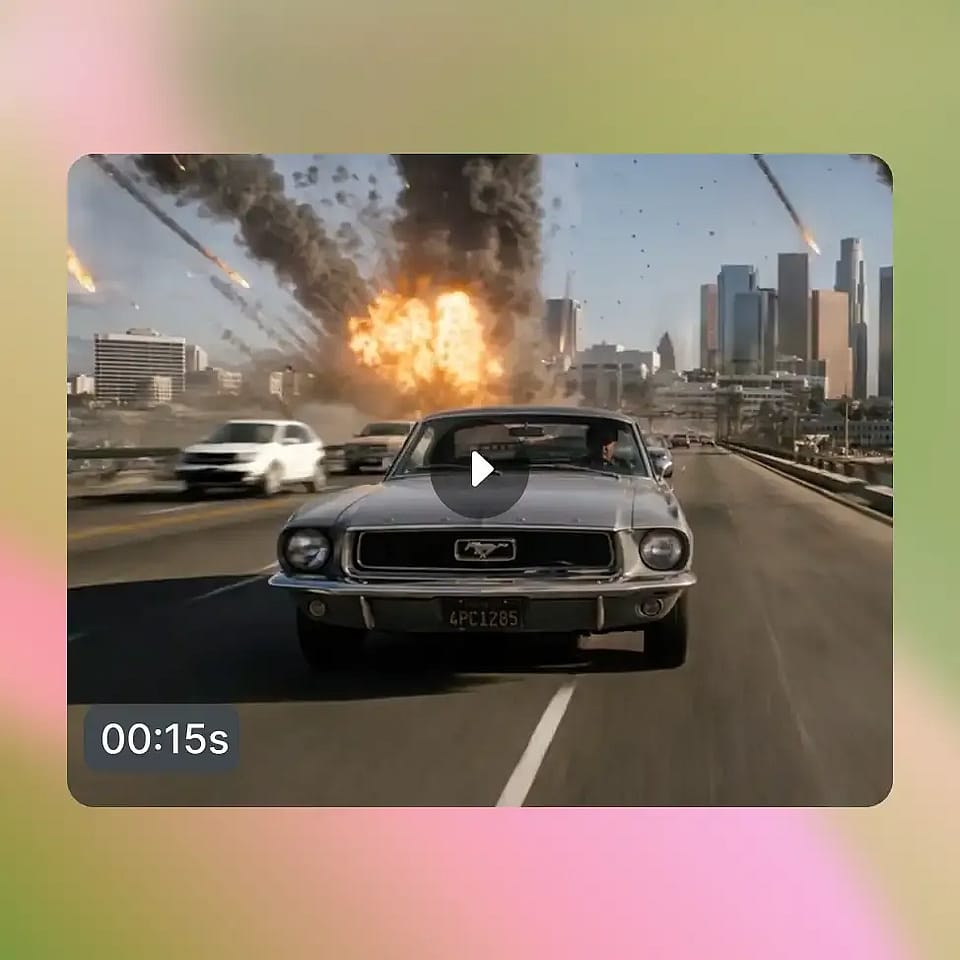
VFX mode lets you protect one part of the shot and change the rest. Paint a mask on the first frame over what should stay, then write a prompt for everything outside it. Fill the room with smoke, add falling snow, or damage the set around a person. OpenArt VFX tracks that mask across every frame of the clip.
Guide the final result with an image
You choose what the new scene looks like. Pick a preset, upload your own reference image, or generate a new scene from scratch with the AI image generator and feed it in. OpenArt VFX matches your subject's lighting to whichever scene you give it.
How to Use OpenArt VFX
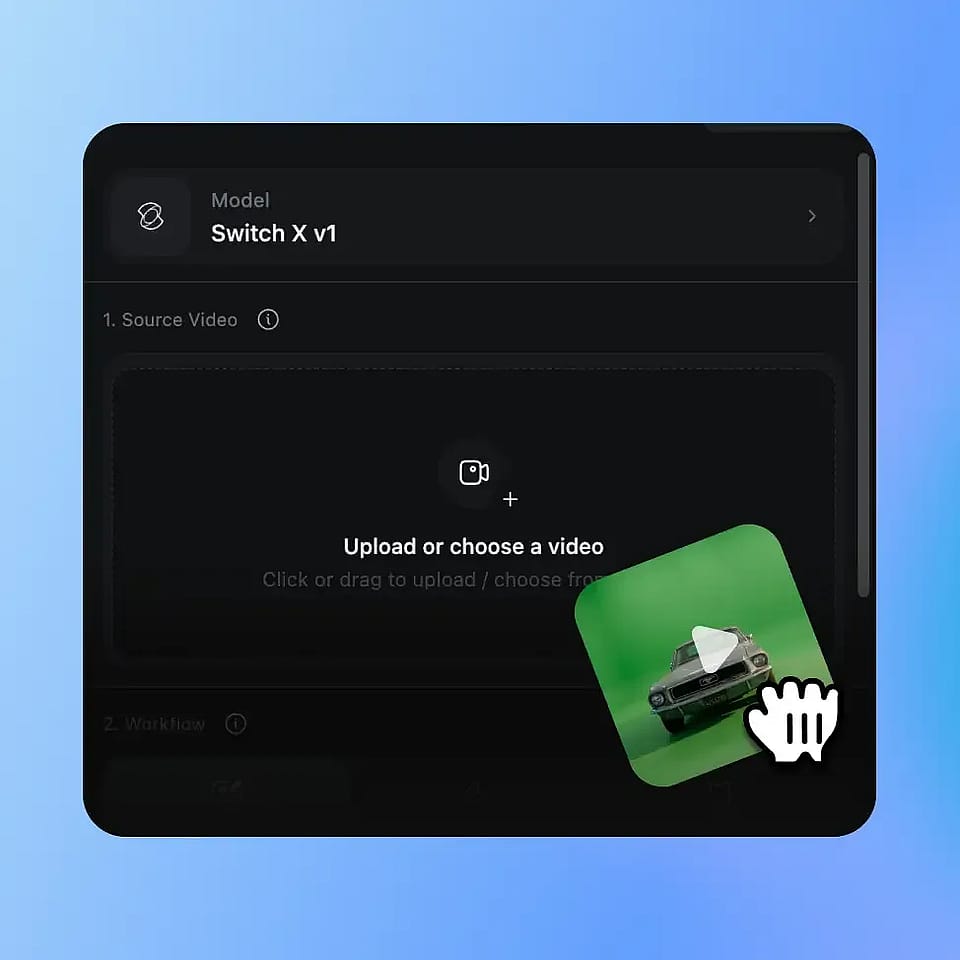
Upload your video
Upload any MP4 or MOV clip. Footage from any room works, with no green screen and no studio setup.
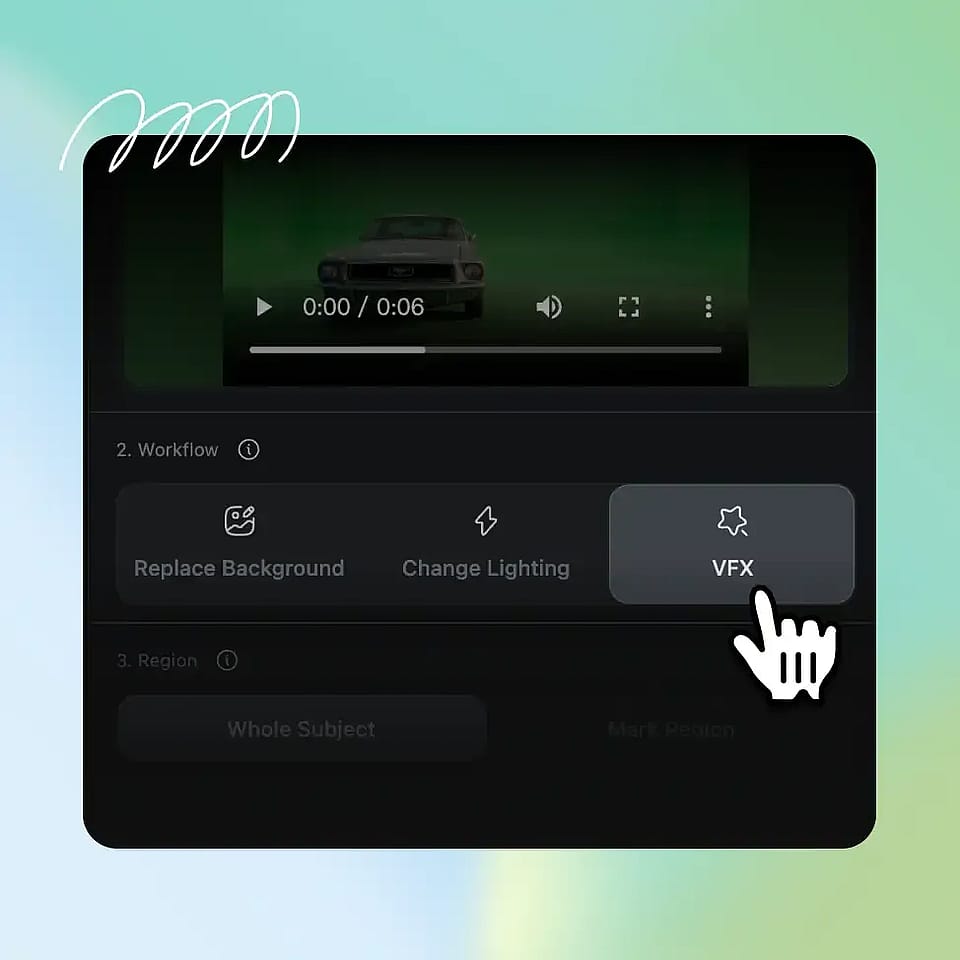
Pick your mode
Choose Replace Background to swap the environment, Relight and Mood to restyle the full frame, or VFX to change a masked region.
Generate and compare
Pick 720p or 1080p and generate. Your result comes back in three to seven minutes.
Who Uses OpenArt VFX
From bedroom YouTubers to indie filmmakers, here is how creators are using OpenArt VFX.
Edit and scale your social content
YouTubers, TikTokers, Reels creators, and podcasters who shoot from home and want their footage to look like it was shot somewhere far better. They reach for Replace Background first, push into Relight when they want a signature visual style, and rarely need to learn anything more than upload, pick, generate.
Try it NowFilm once and post from anywhere
You film in the same room every week and your videos start to look the same. OpenArt VFX drops you into a new place for every upload, so one filming setup gives you a month of different-looking videos. Pair it with the AI video generator when you need extra shots you never filmed.
Try it NowShoot indie scenes without a VFX budget
You have a scene that needs a location you cannot afford and no money for an effects house. OpenArt VFX changes the environment and the lighting on footage you already shot, for the cost of a few credits.
Try it NowReuse one product shoot across campaigns
You shot one product video and now you need it for five campaigns. OpenArt VFX puts the same product in a different setting for each one, without a reshoot or a studio booking. Mask the product in VFX mode so it stays exactly as filmed while everything around it changes.
Try it NowRecord and present lessons from any room
You record lessons or updates from a home office that does not look the part. OpenArt VFX puts you in a classroom, a lab, or a clean office, and it fixes your lighting at the same time. When you need a full multi-shot lesson instead, build it in OpenArt Director, and edit later with AI VFX.
Try it NowFrequently Asked Questions
OpenArt VFX is an AI video transformation suite. Upload any clip and you can replace the background, relight the entire scene, or apply frame-level visual effects to a specific region, all from a single upload. The original subject, performance, and motion stay intact, while everything around or on top of it can be transformed.
OpenArt VFX is powered by Beeble's SwitchX, a video transformation model purpose-built for high-fidelity subject isolation, full-frame relighting, and masked region edits. SwitchX is what allows all three modes to run from the same upload with the temporal consistency that makes the result feel like a real shot.
Most footage works, with the cleanest results coming from clips where the subject is clearly visible, lighting is reasonably consistent, and camera movement is moderate. OpenArt VFX accepts MP4 and MOV files in H.264 or HEVC.
You can choose 720p or 1080p output at generate time. 2K and 4K are not currently supported.
Traditional VFX requires a compositor, a render farm, and software that takes years to master. OpenArt VFX delivers the same kind of creative control, the ability to separate what was captured from what is seen, in a few minutes from a web upload. No green screen, no team, no pipeline, no software to learn.
Three things, mapped to three modes. Replace Background swaps the entire environment behind your subject. Relight and Mood restyles the full frame, including lighting, atmosphere, color, and visual character. VFX gives you mask-and-prompt control over a specific region, so you can swap props, modify costumes, change parts of the background, or add localized effects.
No. Replace Background and Relight and Mood are designed for one-click use: pick a preset or reference image and generate. VFX mode is more advanced and benefits from precise masking and clear prompting, but no compositing software, scripting, or post-production training is required at any point.
Most jobs complete in three to seven minutes. Generation runs asynchronously with live progress, so you can leave the tab and come back when the result is ready. Output is delivered with Output, Source, Alpha, and Compare views for quick review.
Yes. Output from OpenArt VFX can be used in commercial projects, including paid social, brand campaigns, product marketing, monetized YouTube content, and client work. Check OpenArt's terms of service for the latest commercial usage details for your plan.