
Kling AI Video Generator
Generate video up to 15-secs long in native 4K, control the first and last frame of every shot with reference images, and get motion that follows real-world physics with Kling 3.0 and 3.0 Omni on OpenArt.
Key Features of Kling AI Video Model
Native 4K Video Production
Kling 3.0 renders video anywhere from 720p up to native 4K, not a 1080p clip upscaled up afterward. Earlier Kling models topped out well below that ceiling, so fine detail like text, fabric, and skin texture held up only at smaller sizes. On OpenArt’s AI video generator, that means a product shot or portrait clip stays sharp when it is blown up on a billboard, a landing page hero, or a full-screen ad.
Try it NowStart and End Frame Control
Give Kling 3.0 a starting image and an ending image, and it builds the motion that connects them. Instead of describing an action in words and hoping the model gets the timing right, you show it exactly where the shot begins and where it should land. This works well for product demos, before-and-after transformations, and logo animations where the final frame has to match a specific look.
Try it NowMulti-Shot Videos Up to 15 Seconds
Kling 3.0 can produce 3 to 15 seconds of connected video, cutting between multiple angles inside one generation instead of a single static shot. Characters, outfits, and backgrounds carry over from cut to cut, so the result looks like an edited scene rather than clips stitched together after the fact. That is enough room for a short ad, a product story, or a scene with a wide shot and a close-up, all from one prompt.
Try it NowHyper-Realistic Physics and Motion
Kling 3.0 is tuned for scenes with real physical contact: hands gripping objects, fabric moving with the body, water reacting to motion, two people hugging or colliding. Older AI video models often break down in these moments, with limbs warping or objects losing details. Kling 3.0 keeps the motion physically consistent even when a scene has several moving parts at once.
Try it NowHow to Use Kling on OpenArt
Pick the model
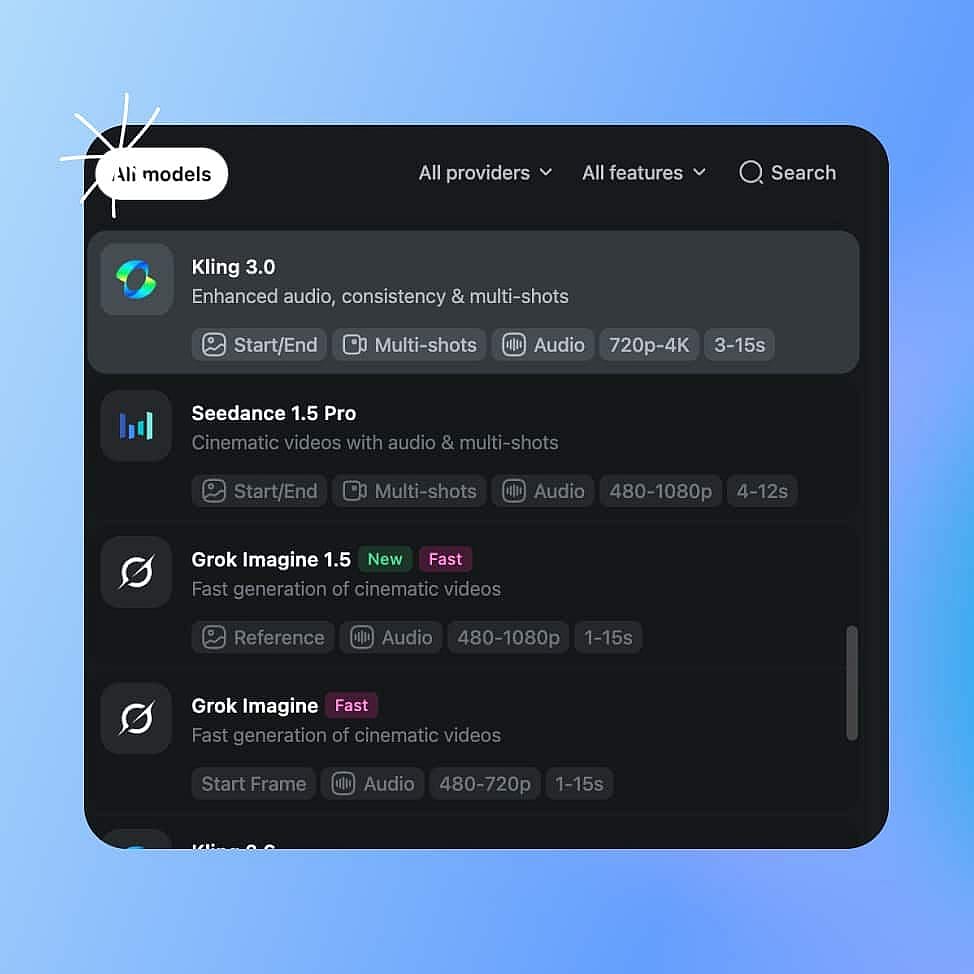
Open AI Video Generator and select Kling 3.0 from the model menu. Pick Kling 3.0 Omni instead if you need to combine several reference inputs in one generation.
Prompt and references
Write your prompt, or upload a start frame and an end frame if you want to control exactly how the clip opens and closes. Add a second or third shot description if you want a multi-shot sequence.
Generate and save
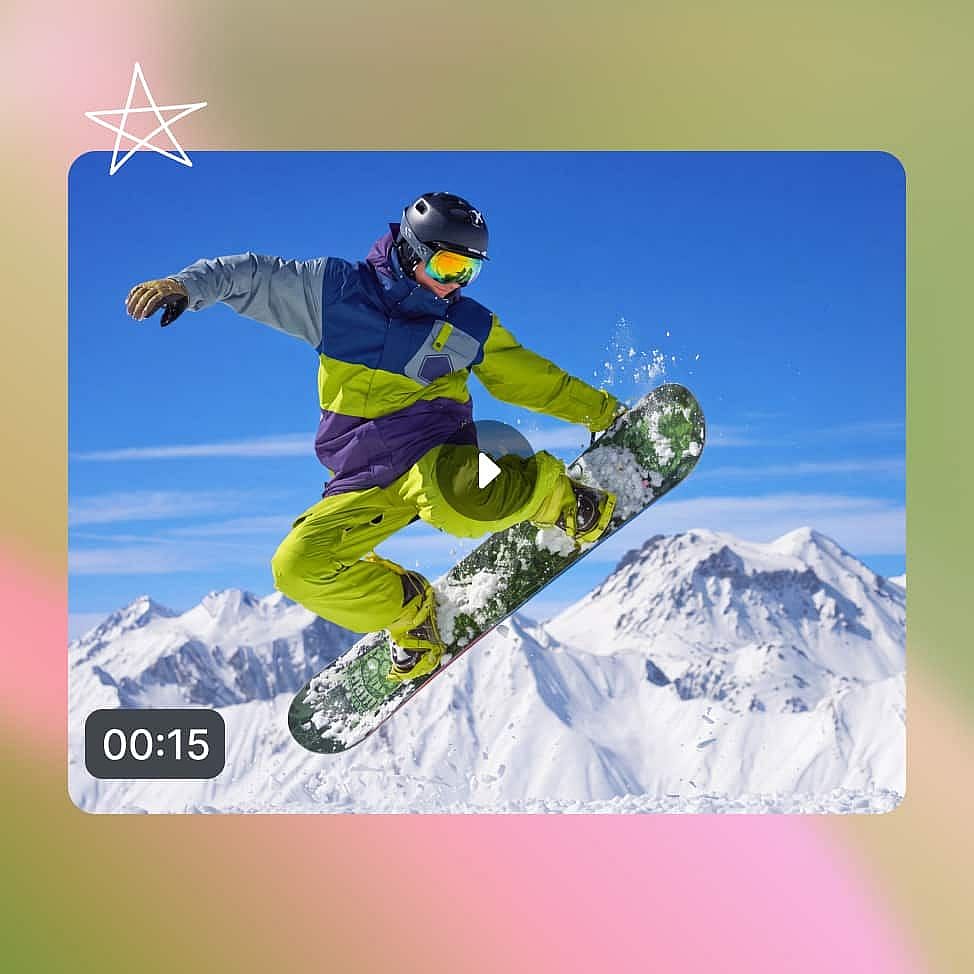
Choose your resolution, your clip duration and select if you want audio. Generate the clip and download in your preferred file format.
Frequently Asked Questions
Kling AI is a video generation model built by Kuaishou, known for sharp detail and realistic motion. Its latest version, Kling 3.0, along with Kling 3.0 Omni, is available on OpenArt.
OpenArt offers Kling 3.0 and Kling 3.0 Omni. Kling 3.0 supports start and end frame control for precise shot direction, while Kling 3.0 Omni is built to take in multiple reference inputs, like images, video, and audio, in one generation.
Open OpenArt's AI video generator and select Kling 3.0 or Kling 3.0 Omni from the model menu. Write your prompt, or upload a start frame and an end frame, then choose your resolution, from 720p up to native 4K, and generate.
OpenArt runs Kling 3.0 and Kling 3.0 Omni directly inside its video tools, so you don't need a separate Kling account to use them. Write your prompt, set your resolution and frames, and OpenArt generates the clip on Kling's model.
Describe the shot, not just the subject: name the framing, the setting, and the physical contact involved, like a grip, a fall, or a collision. For multi-shot scenes, list each shot in order instead of writing one long paragraph, and set a start and end frame when you need the clip to land on a specific look.
You can create product videos in native 4K, product reveals and transformations built from a start and end frame, short multi-shot ads up to 15 seconds, and action or effects sequences with physically realistic motion.
Get Insights from Experts Blog
Get the insights you need. Our experts share actionable hacks, break down the hottest topics, and provide essential how-to guides to help you build, optimize, and scale.

OpenArt Director Ranks #1 on Physion Labs' AI Video Ad Agent Benchmark
OpenArt Director ranked #1 in Physion Labs' AI video ad benchmark, beating 5 agents across 100 briefs and 500 videos to lead every quality category.

What Is OpenArt? – The All-In-One AI Creation Platform Explained
OpenArt is a generative AI platform for making images, video, and audio, from text prompts and references. Learn what it does, how it works, which models it runs, what it costs, and why you should use it.
OpenArt Introduces OpenArt Arena, a New AI Model Benchmark Tailor-Made for and by Creatives
OpenArt launches OpenArt Arena, the first AI image and video model leaderboard built on blind, expert evaluations from top creatives across film, advertising, and design.
Loved by Creators
I've tried many AI platforms... but OpenArt is still the best for character creation, image-to-video quality, and the variety of models available.
OpenArt offers an excellent array of AI tools... once you learn the features, the creative possibilities are amazing - and their support team is outstanding.
OpenArt is a very versatile AI platform with many image and video models, consistent character creation, and powerful editing tools.
Helpful AI tools all in one place - image and video generation, editing, and more... no need for multiple subscriptions.
Customer service is always quick and helpful... and the platform keeps getting better with new features and tools.
I've tried many AI platforms... but OpenArt is still the best for character creation, image-to-video quality, and the variety of models available.
OpenArt offers an excellent array of AI tools... once you learn the features, the creative possibilities are amazing - and their support team is outstanding.
OpenArt is a very versatile AI platform with many image and video models, consistent character creation, and powerful editing tools.
Helpful AI tools all in one place - image and video generation, editing, and more... no need for multiple subscriptions.
Customer service is always quick and helpful... and the platform keeps getting better with new features and tools.
I've tried many AI platforms... but OpenArt is still the best for character creation, image-to-video quality, and the variety of models available.
OpenArt offers an excellent array of AI tools... once you learn the features, the creative possibilities are amazing - and their support team is outstanding.
OpenArt is a very versatile AI platform with many image and video models, consistent character creation, and powerful editing tools.
Helpful AI tools all in one place - image and video generation, editing, and more... no need for multiple subscriptions.
Customer service is always quick and helpful... and the platform keeps getting better with new features and tools.
With so many AI platforms out there, OpenArt stood out as a stellar choice - I'd recommend it to any creator.
This platform includes everything you need for AI content creation - images, video, characters, audio, and multiple AI models in one place.
OpenArt is pushing the boundaries of AI video creation... and it's clear the team is committed to improving the creator experience.
I made my first AI music video with OpenArt... and their support team was the best help I've ever experienced.
I'm very happy with the support - my issue was resolved quickly and the team made the process easy.
With so many AI platforms out there, OpenArt stood out as a stellar choice - I'd recommend it to any creator.
This platform includes everything you need for AI content creation - images, video, characters, audio, and multiple AI models in one place.
OpenArt is pushing the boundaries of AI video creation... and it's clear the team is committed to improving the creator experience.
I made my first AI music video with OpenArt... and their support team was the best help I've ever experienced.
I'm very happy with the support - my issue was resolved quickly and the team made the process easy.
With so many AI platforms out there, OpenArt stood out as a stellar choice - I'd recommend it to any creator.
This platform includes everything you need for AI content creation - images, video, characters, audio, and multiple AI models in one place.
OpenArt is pushing the boundaries of AI video creation... and it's clear the team is committed to improving the creator experience.
I made my first AI music video with OpenArt... and their support team was the best help I've ever experienced.
I'm very happy with the support - my issue was resolved quickly and the team made the process easy.
Create without limits
Join thousands of creators using OpenArt to generate stunning images, videos, and more — all in one platform.
Get Started for Free →