

 ChatGPT
 Perplexity
 Claude
 Gemini
AI influencers have grown into full content channels. They pull in millions of views, build loyal audiences, and earn real money through brand deals and partnerships.
Creators behind accounts like Lil Miquela and Aitana López have shown that a character you build yourself can win a real following. What it takes is consistency, a clear identity, and enough content to keep posting.
Tools like OpenArt's AI influencer generator handle all of that in one place. You build your character, generate posts, animate them into video, and add voice in the same workflow.
Key Takeaways
- AI influencers grow when one clear character posts often
- Your influencer needs an identity that looks the same in every post
- Video and voice are what turn a still character into a real personality
- Growth comes from repeatable systems you can post from every week
- OpenArt covers character building, images, video, and voice in one place
What Makes an AI Influencer Work
Social platforms now show people content that matches their interests, whoever made it. Gary Vaynerchuk calls this interest media, and it is why a well-built character can pick up an audience fast.
Building an AI influencer is mostly a content strategy job. The generation part is the easy half.
Accounts like Aitana López work because they feel like people. They have opinions, stories, and a look you recognize in every post.
That consistency builds familiarity. Familiarity builds trust.
So build a system where your influencer looks like the same person every time they show up. When the face shifts between posts, people notice, and the account stops feeling real.
Step 1: Define Your Influencer Before You Create It
Before you generate anything, get clear on who this influencer is.
Treat it like casting a character. What niche are they in? What do they post? Who are they talking to?
An AI fashion influencer behaves very differently from a fitness creator or a tech personality. Even small choices, like whether the tone is aspirational or relatable, change how your content performs.
This step decides everything that comes after it, so write it down before you start generating.
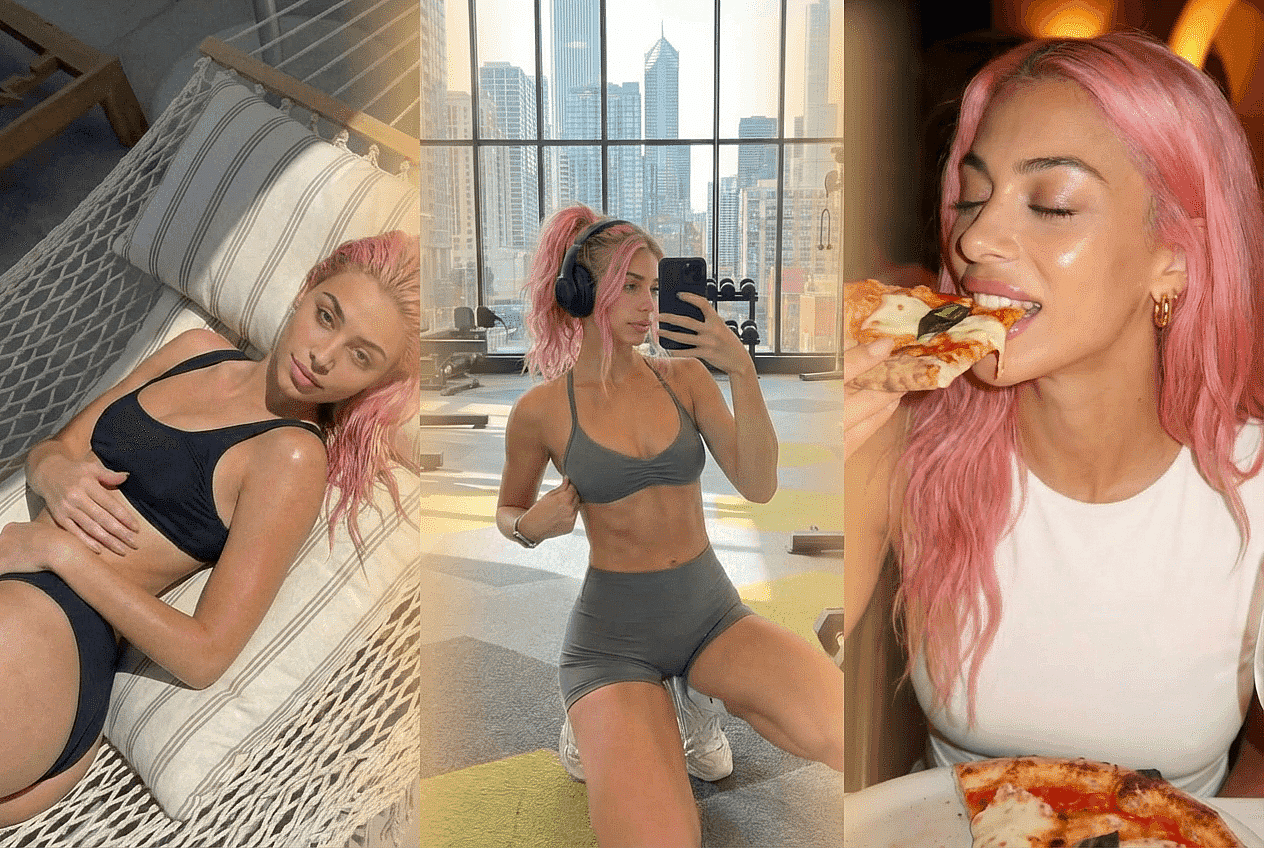
For example, Aitana López is a lifestyle influencer who documents her fitness, glamour shoots, travels, and event appearances.
Step 2: Create a Consistent Character Identity
This is the most important technical step. People follow identities, so your influencer needs the same face in every post.
Using OpenArt, you can build and save a base character from a text prompt, a reference image, or the Character Builder presets. Save that character once, then tag it in new generations so every output starts from the same reference.
Keep it simple. Generate a few versions of your character, pick the one that looks most stable, and make that your base. From there you can change outfits, backgrounds, and poses while the face stays the same.
Over time that turns your influencer into someone your audience recognizes on sight.
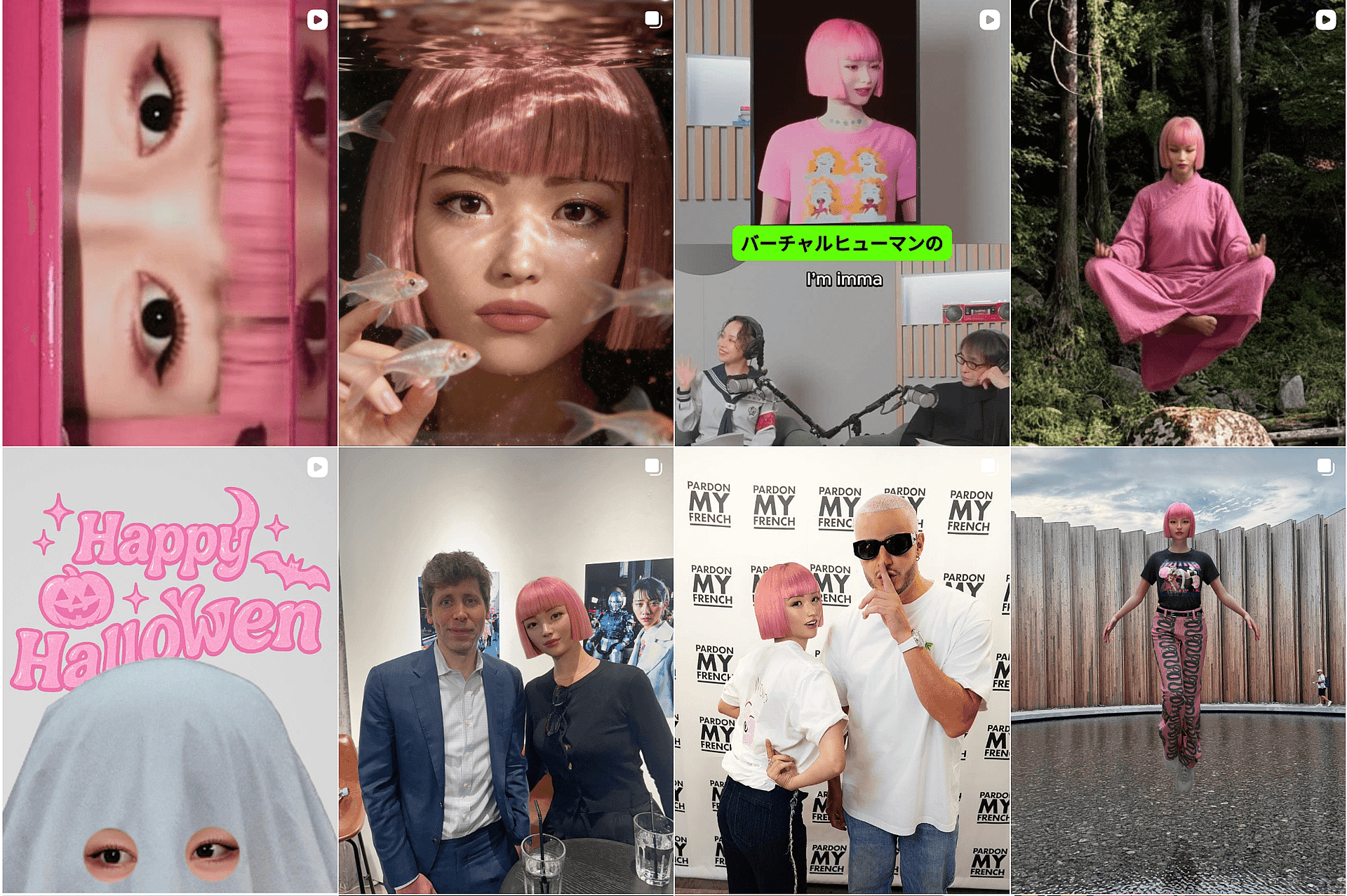
Imma is a great example of AI influencer done right when it comes to character consistency. Take a look at her Instagram grid to see what we mean:
Step 3: Build a Repeatable Content System
Once your character is set, the work shifts from creating to producing.
Successful AI influencers post a lot, and they post consistently. Plan in content categories so you always know what comes next.
For example, your influencer might rotate between lifestyle moments, close-up portraits, and trend posts. That rhythm is what audiences start to recognize.
With OpenArt's AI image generator, you can generate up to 8 versions of the same character in different settings in one go. That gives you days or even weeks of posts from a single session, with the same face every time.
You get more content, and you get more predictable growth.
Step 4: Move Beyond Images Into Video
Still images get attention, and video gets reach.
Short-form video is what travels on Instagram and TikTok, and AI influencers are no exception. The moment your character starts moving and reacting, people watch for longer.
OpenArt's AI video generator turns your character's images into motion. Upload a picture of your influencer, describe the movement you want, and the model animates it into a short clip.
You can make simple clips, story sequences, or talking videos that fit right into a feed. This is where your influencer starts to feel like a real presence.
Step 5: Add Voice and Personality
Personality is what makes people stay.
Use Lip Sync to make your influencer speak. Type the lines you want and OpenArt matches their mouth to the words.
Video models like Wan 3.0 and MiniMax H3 also generate audio along with the clip, so you get sound in the same step. If you want to reach viewers in other countries, Dub Video translates a finished clip into up to 10 languages and re-aligns your influencer's lip movement to the new language.
Keep the tone the same in every post. Daily routines, opinions, and short stories all work. What your influencer says matters as much as how they look.
Step 6: Grow With Intent
Growth on social media comes from repetition and refinement.
Posting consistently gives more people the chance to find you. Recreating trends plugs your content into attention that already exists. Over time you see what works and do more of it.
AI influencers can run that loop faster, because you can test more ideas in less time. That speed is your advantage.
Step 7: Turn Attention Into Revenue
Once your influencer has traction, the money follows the usual paths. Brands already pay virtual creators for sponsored posts, product placements, and UGC-style ads.
AI influencers are flexible for campaign work, because you can put the same character in a new outfit or setting in minutes.
Affiliate marketing and content licensing are options too, especially in niches like fashion and lifestyle.
How to Create an AI Influencer With OpenArt
- Build your influencer. Open the AI influencer generator and create your character from a text prompt, a reference image, or the Character Builder presets. Set their look, style, age, and vibe, then generate.
- Save the version you like. Generate a few options, pick the most stable face, and save it as your base character.
- Generate your posts. Open Create Image, tag your saved character, and describe the scene. Set your aspect ratio and number of outputs, then generate.
- Turn a post into video. Take one of your images into Image to Video, describe the movement you want, pick your model and length, then generate.
- Add voice. Open Lip Sync, upload your clip, and type the lines you want your influencer to say.
- Download and post. Check your results, regenerate anything you want to change, then download the files for your posting schedule.
How OpenArt Changes the Workflow
The hard part of building an AI influencer is keeping every post consistent while you scale up how much you make.
OpenArt handles that in one place. Character building, image generation, video, Lip Sync, and dubbing all run on the same saved character, so your influencer looks the same wherever you use them.
That turns the whole thing into production. You build something that can grow.