AI Christmas Photo Generator
The AI Christmas photo generator turns your selfie, family photo, or product photo into a Christmas picture. Upload a photo, type the holiday scene you want, and OpenArt builds the new picture around the people and products in it.
Key Features of AI Christmas Photo Generator
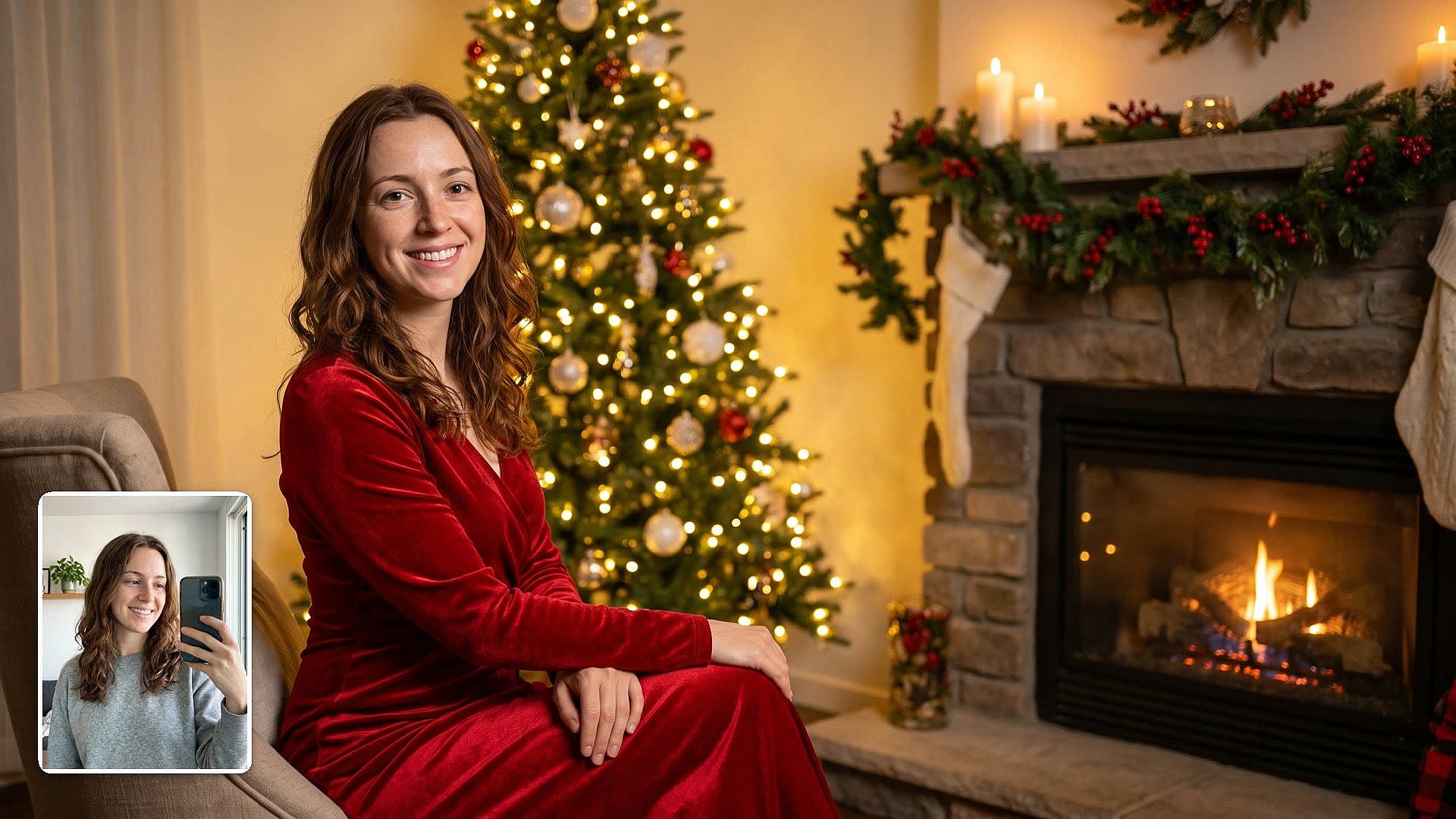
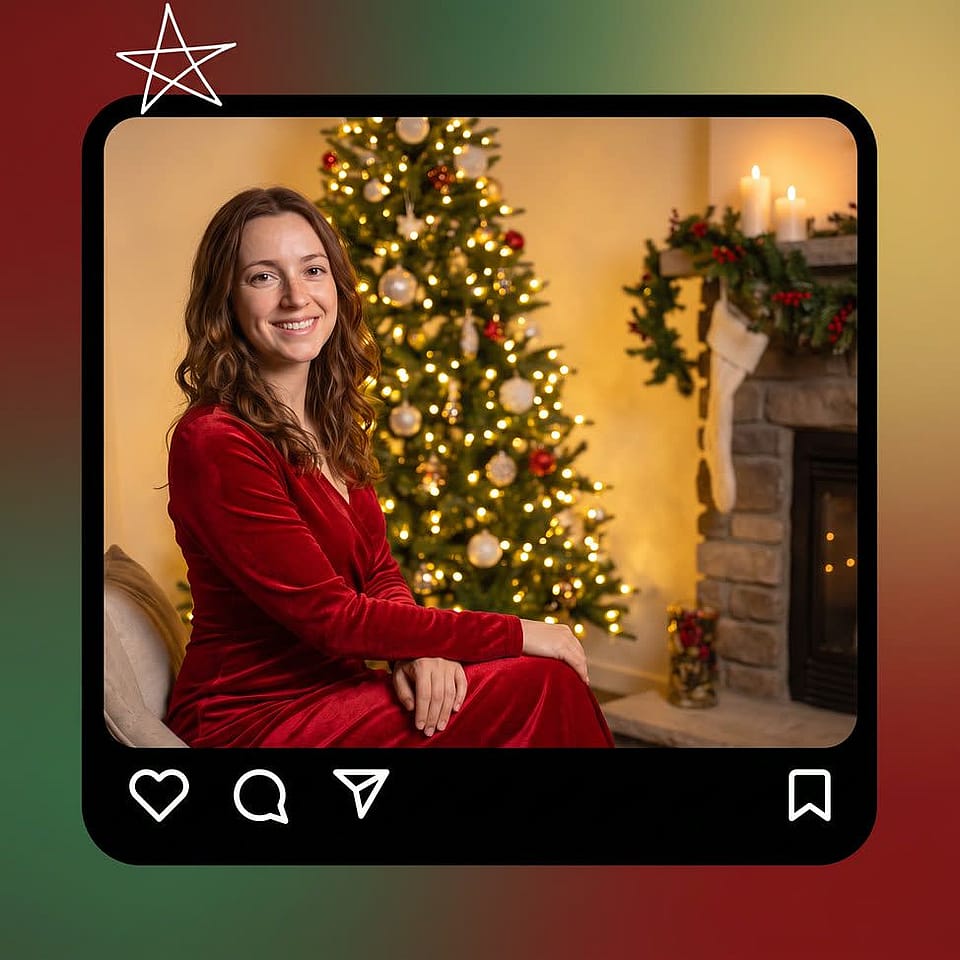
Keep your real face in a Christmas scene
Upload a clear photo of yourself and type the Christmas scene, like a red velvet dress by a fireplace. The AI Image generator uses your photo as a reference and builds the holiday picture around you. GPT Image 2.5 gives you the most consistent faces and visuals across a set of generations. Add "keep my face exactly as uploaded" to your prompt for an even closer match.
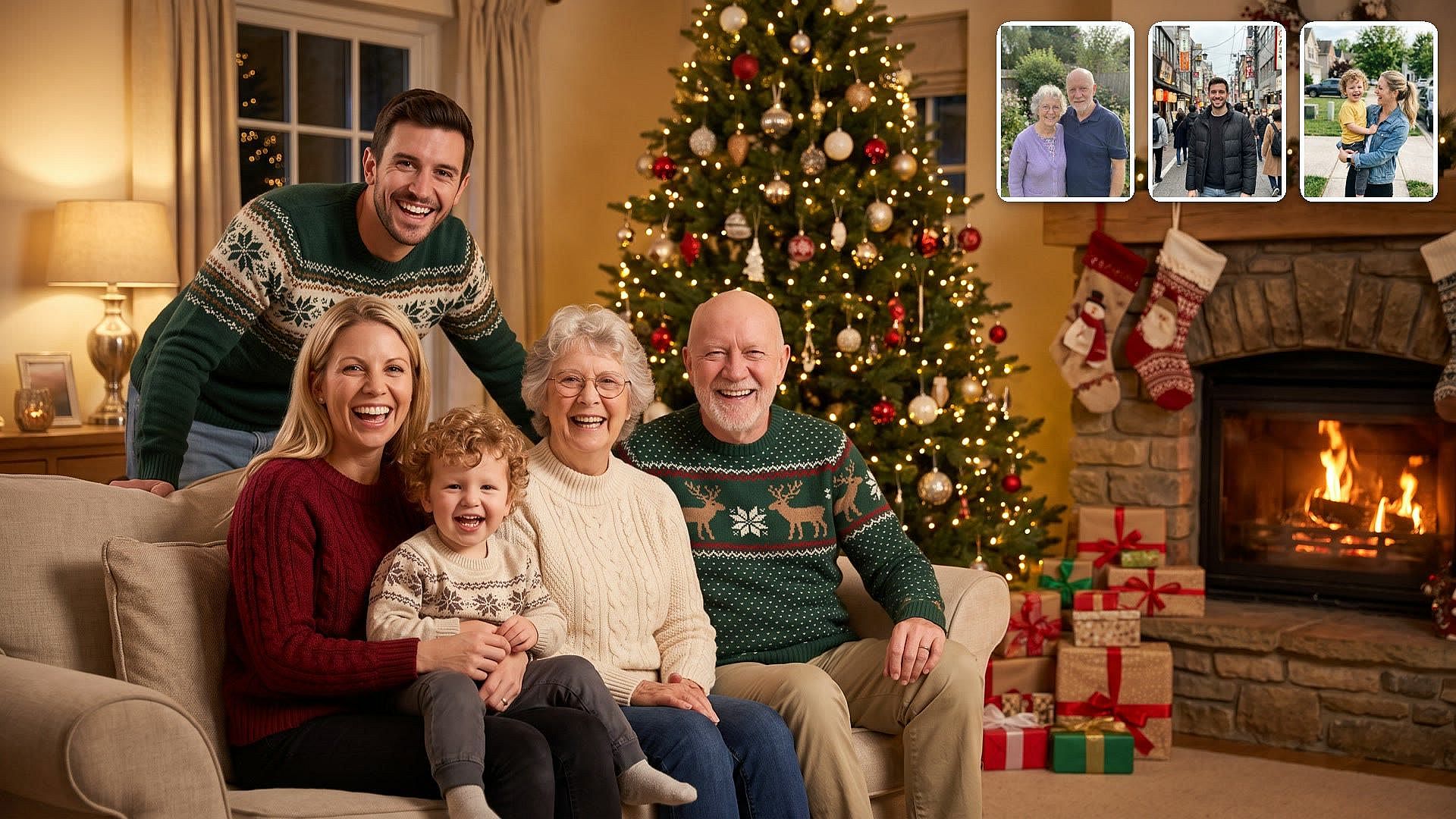
Put the whole family in one Christmas photo
Upload one group photo, or a separate photo of each person when your family lives in different places. Nano Banana Pro can keep up to five people looking like themselves in one image, and it can blend up to 14 reference photos. Your brother overseas and your grandparents across the country can all stand by the same tree.
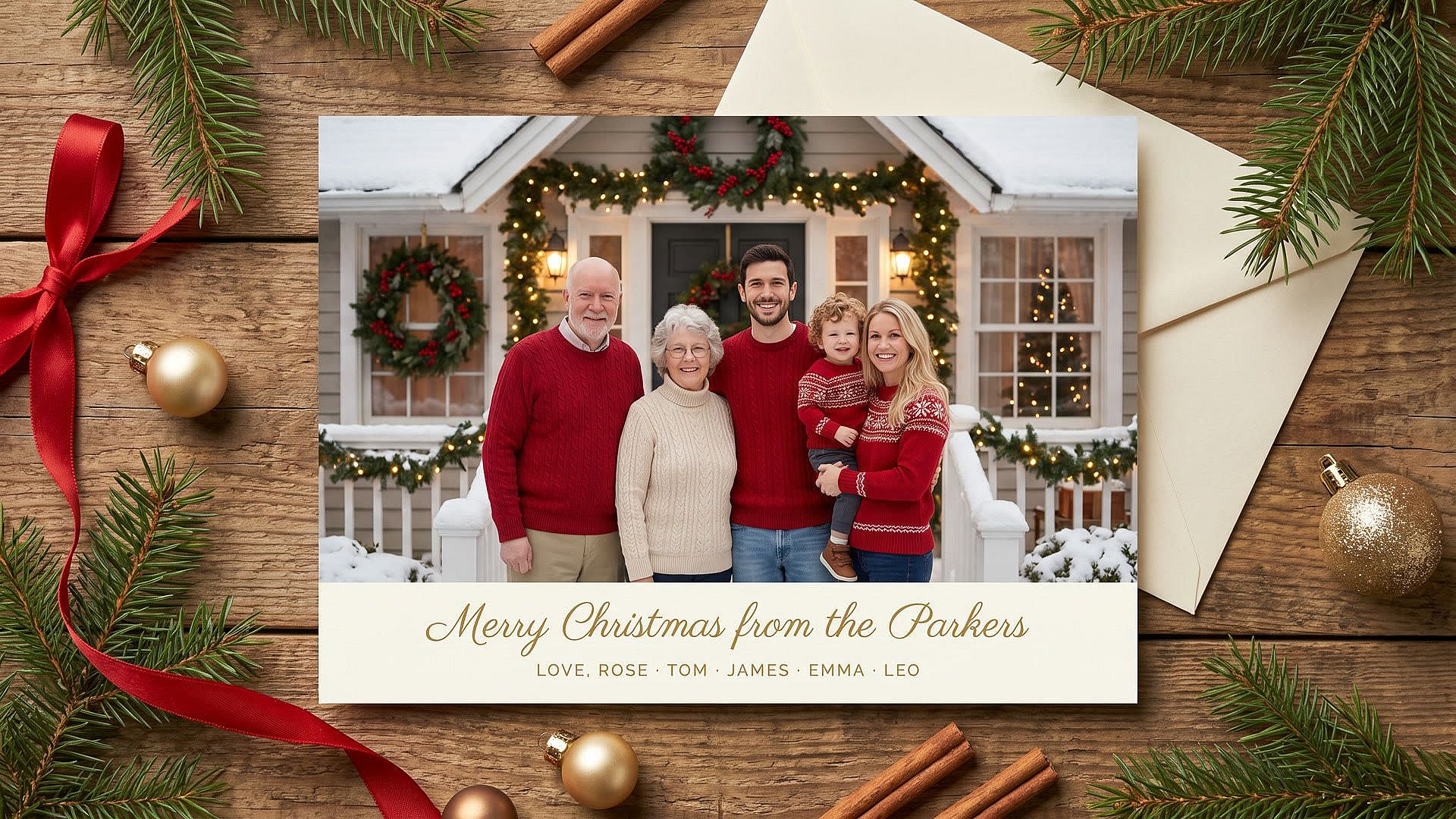
Write your Christmas greeting on the card
Put the exact greeting in quotation marks in your prompt, like "Merry Christmas from the Parkers." Nano Banana Pro is OpenArt's top model for words inside an image, so names and greetings come out spelled right. You get the family photo and the greeting together in one finished card.
Add falling snow and twinkling lights with video
Image to Video turns your finished Christmas photo into a short clip. Upload the picture and type the motion you want, like snow drifting past the window or the family waving at the camera. Models like Seedance 2.5, Veo 3.1, and Kling 4.0 add the animation. Send the clip as a digital Christmas card or post it to Instagram Stories.
How to Use the AI Christmas Photo Generator
Here is how to make a Christmas photo with AI in three easy steps.
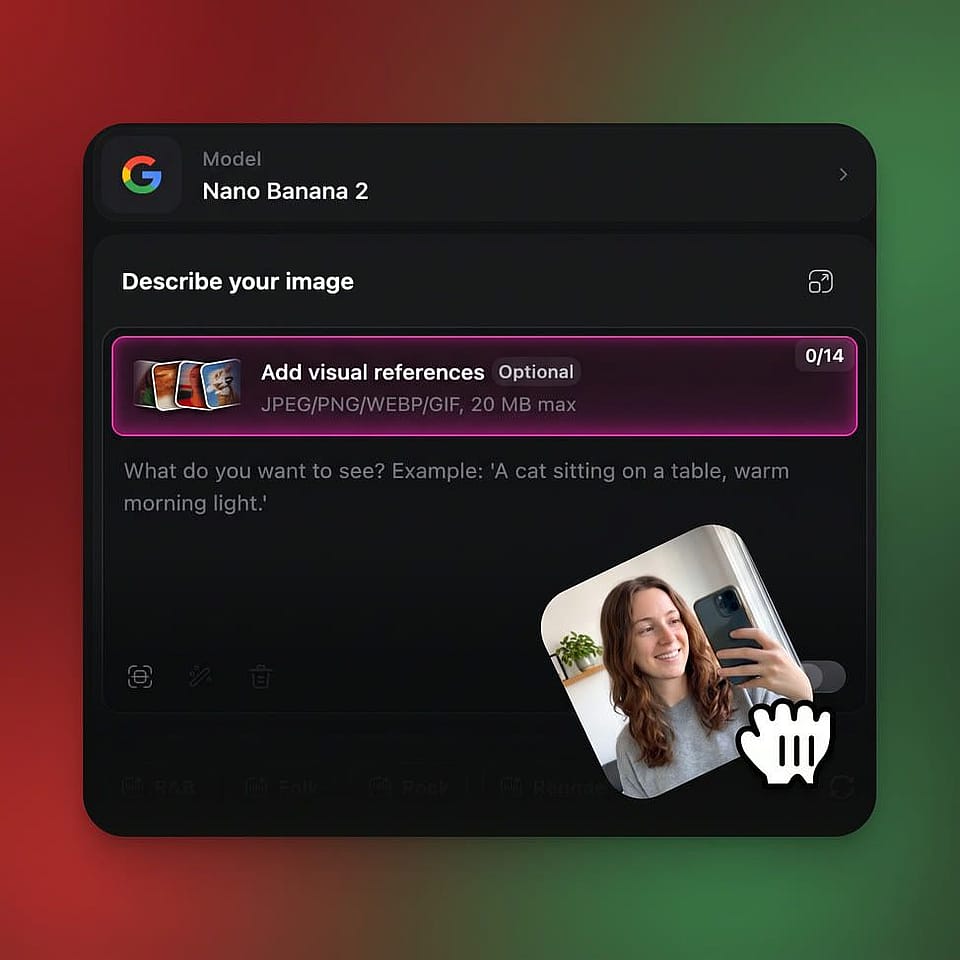
Upload your photo
Open the AI image generator and add a clear, front-facing photo as a reference. For a family card, add one photo of each person.
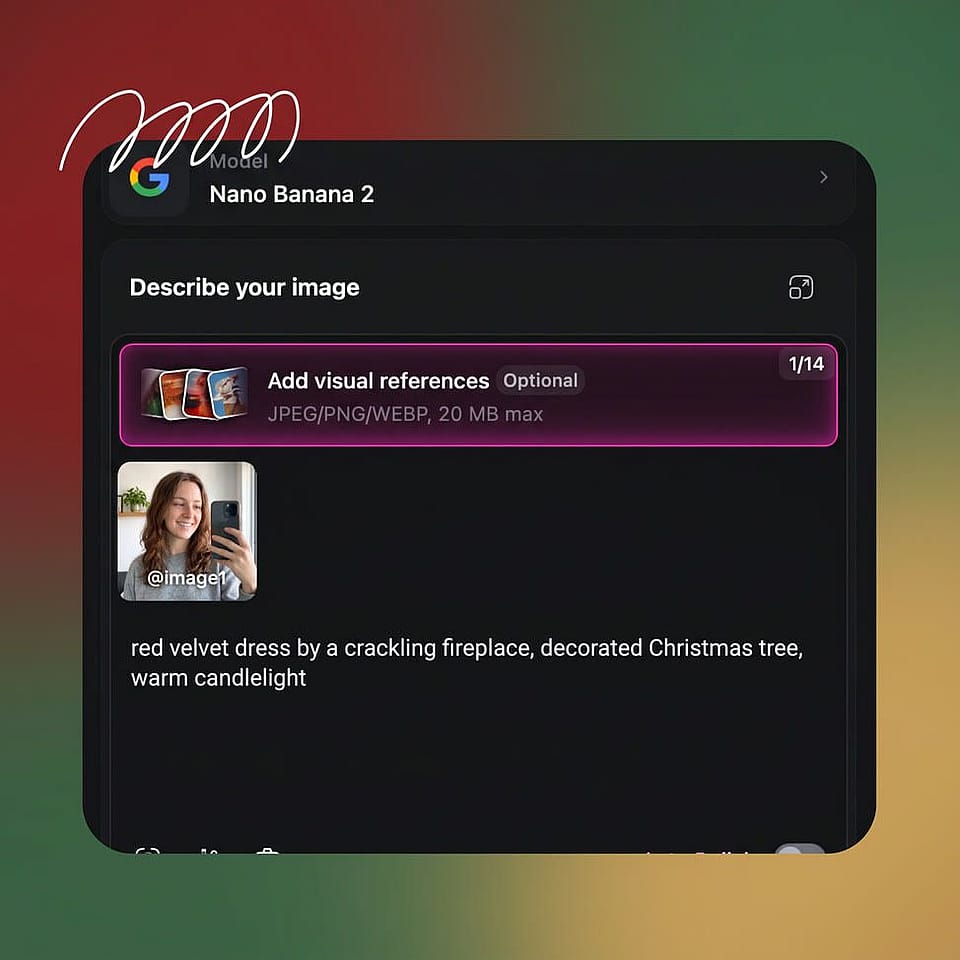
Prompt your Christmas scene
Type the outfit, setting, and light you want. Pick a model and a size, like 4:5 for a card or 9:16 for Stories.
Generate and download
Make up to 8 outputs at once and download your favorite, or refine the prompt and try again.
Best Uses for AI Christmas Image Generator
Small business owners promoting holiday sales
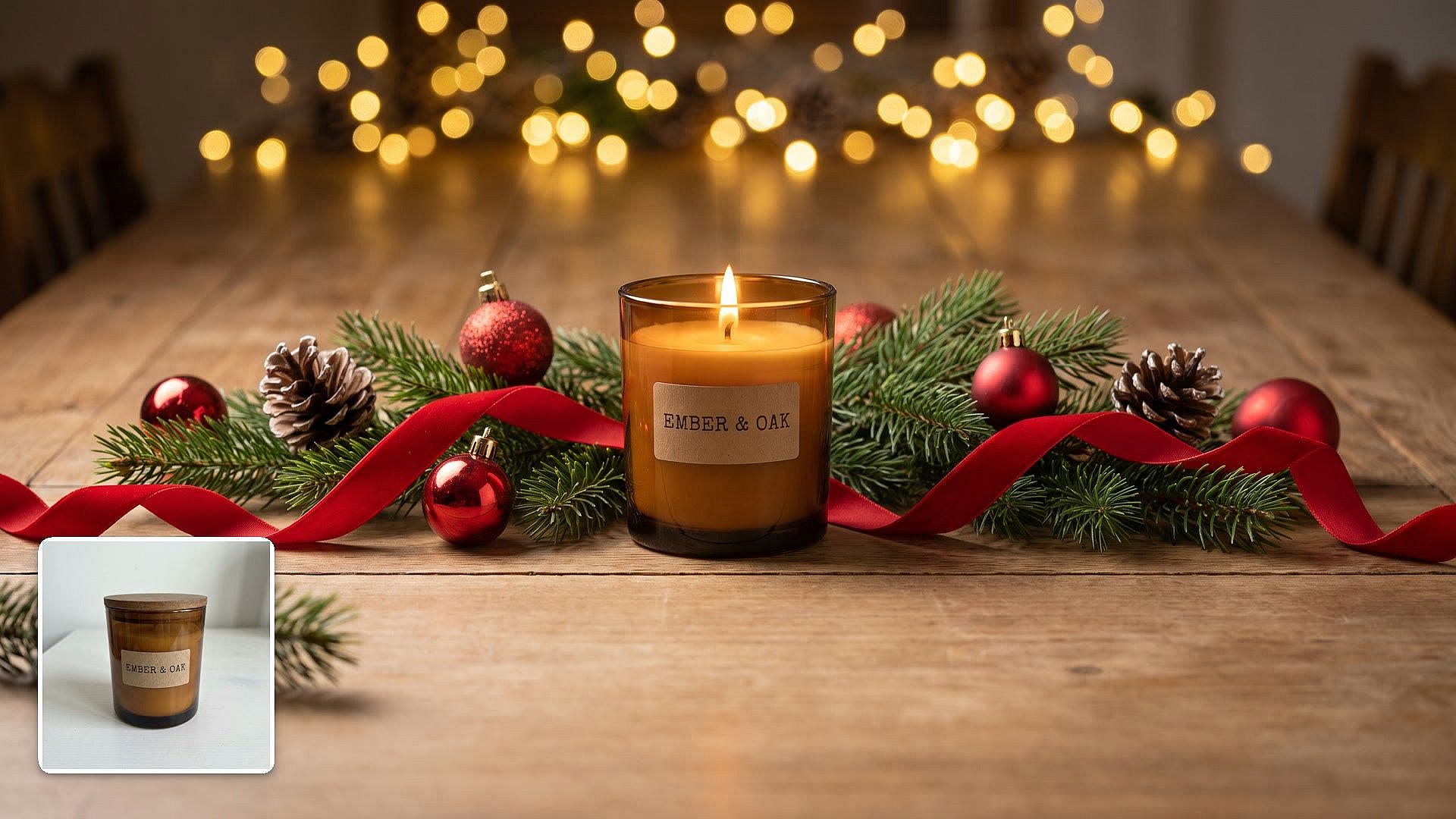
Small business owners use the AI Christmas photo generator to turn one product photo into a month of December sale posts. Upload a photo of your gift box, candle, or cake and place it on a table of pine branches and red ornaments. Make a fresh version for each week of the sale without booking a photographer. Commercial rights apply on eligible paid plans.
Try it Now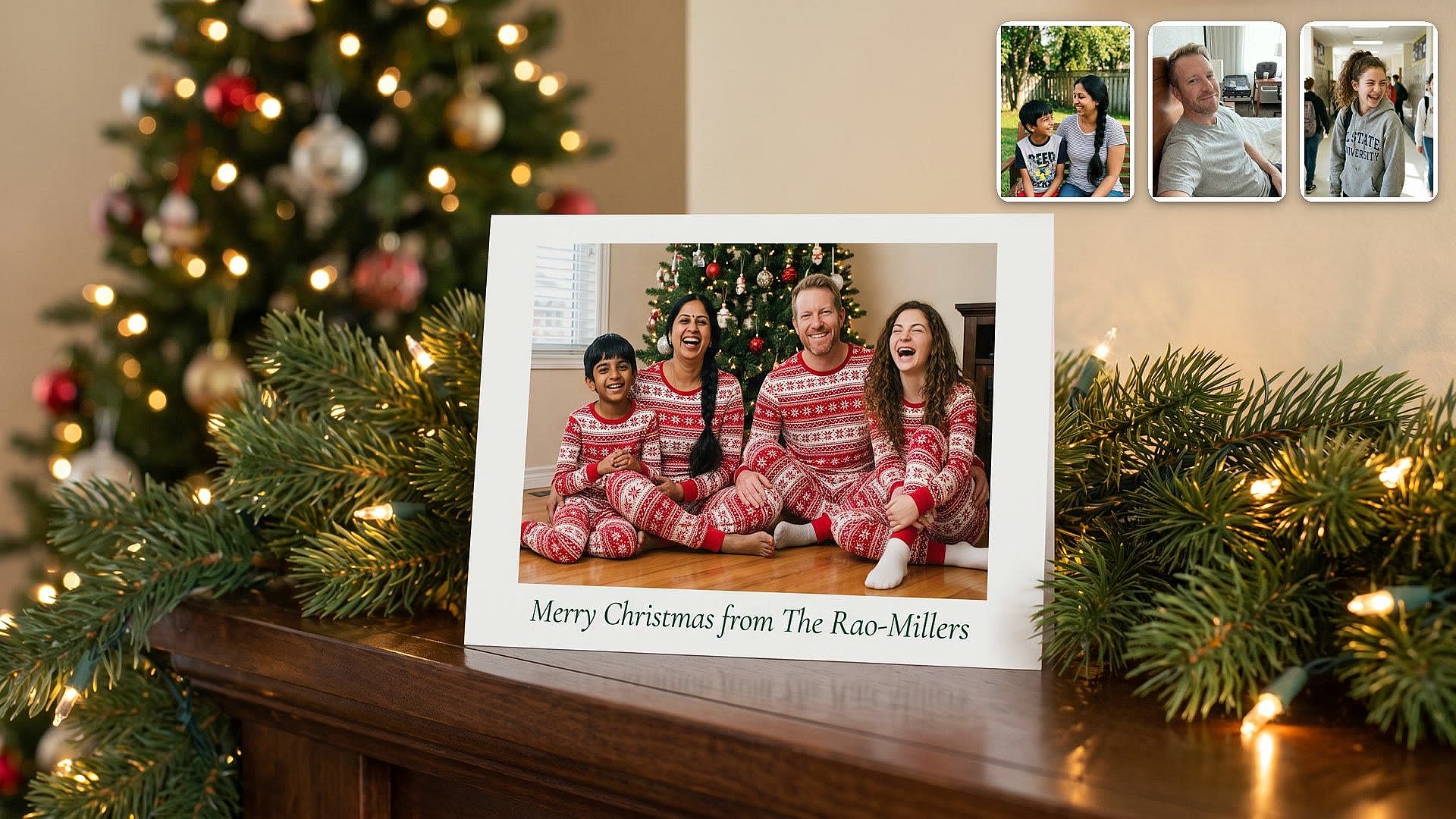
Families sending Christmas cards
Families use the AI Christmas photo generator as an AI Christmas card generator to make the card photo without getting everyone in one room. Upload photos of everyone, describe matching pajamas by the tree, and add your family name to the card. Make the finished picture bigger and sharper with the AI Image Upscaler before you send it to a print shop.
Try it Now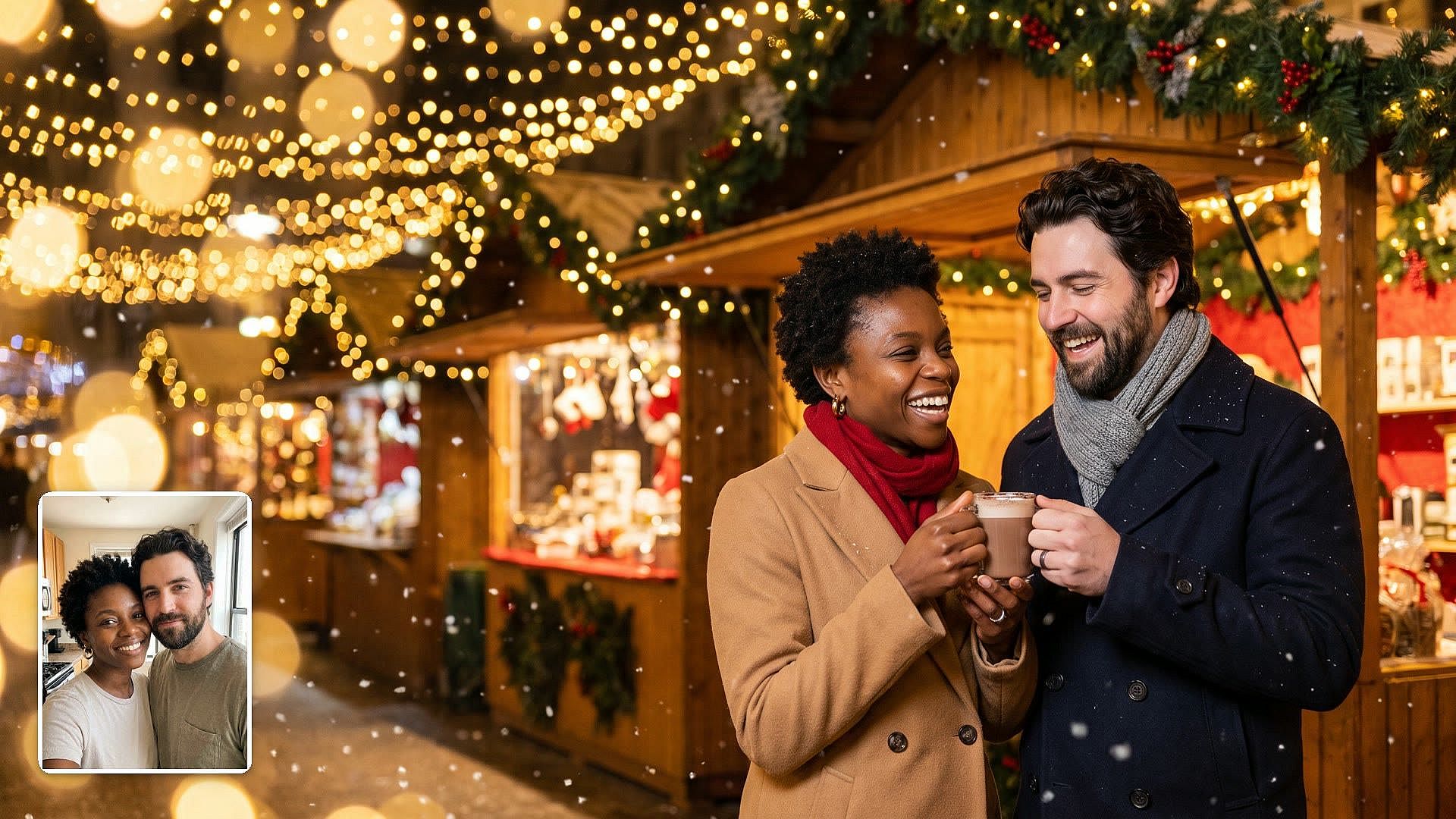
Couples planning an AI Christmas photoshoot
Couples use the AI Christmas photo generator for a full Christmas photoshoot at home. Upload a photo of the two of you and pick a scene, like a Christmas market at night or matching sweaters by the fire. Try a candlelit portrait and a snapshot-style picture too. You get a whole set of holiday photos without renting outfits or booking a studio.
Try it Now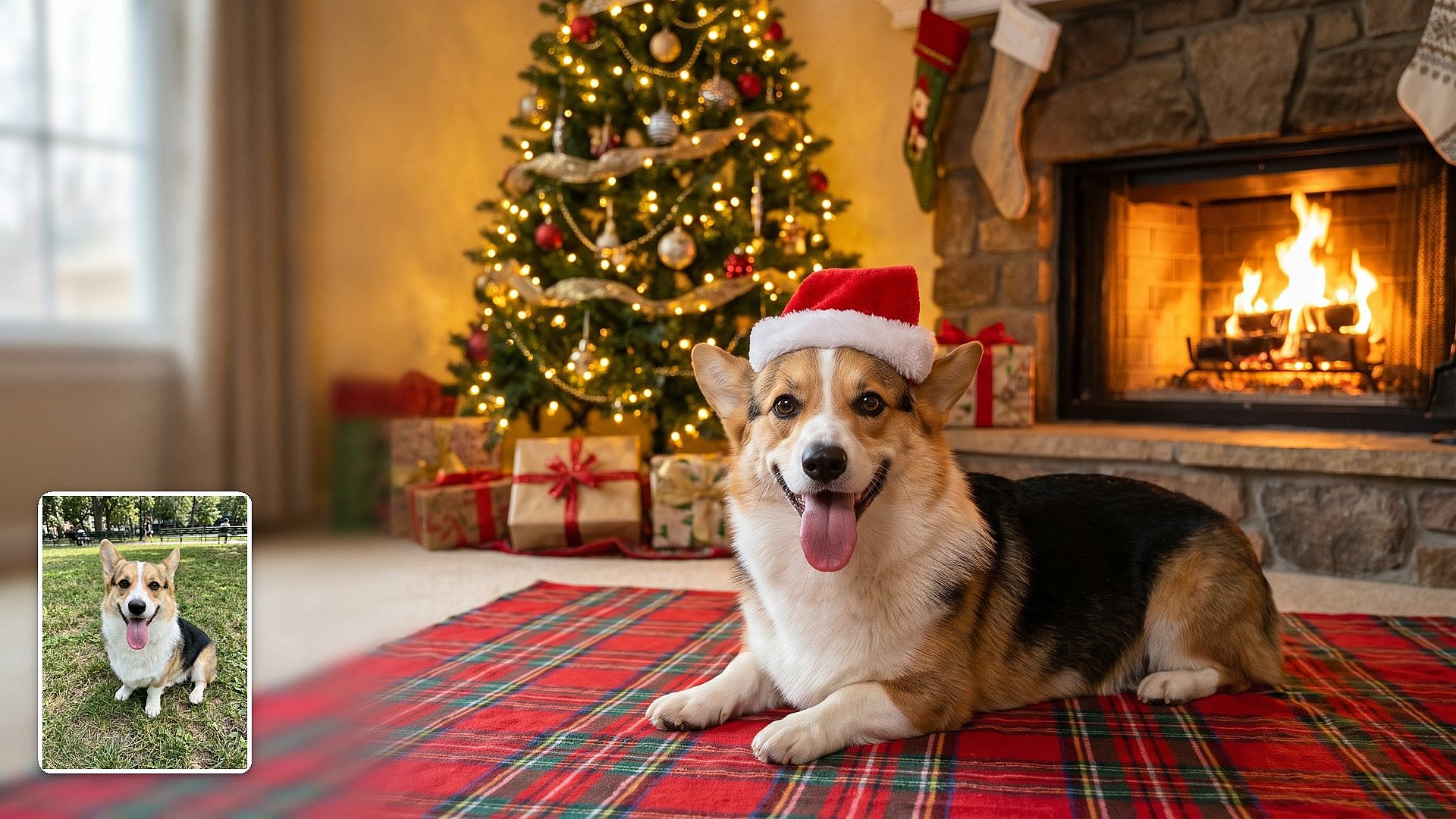
Pet owners making Christmas pet photos
Pet owners use the AI Christmas photo generator to get the holiday photo their pet would never sit still for. Upload a clear photo of your dog or cat and describe the scene, like a Santa hat by the fireplace or a nap under the tree. Name your pet's colors and markings in the prompt so the picture still looks like your pet.
Try it NowFAQ
An AI Christmas photo generator is a tool that turns a photo or a text prompt into a Christmas picture. OpenArt's AI Christmas photo generator can put you in a holiday scene, bring your family together for a card, or place a product on a festive table. You upload a photo, type the scene, and the AI makes the image.
The AI Christmas photo generator uses your photo as a reference, so the result follows your face and features. A front-facing photo in natural light, with no filters or sunglasses, gives the closest match. Pick GPT Image 2.5 for the most consistent faces and visuals across a whole set of Christmas photos. If a result looks off, generate again with the same prompt.
Yes. Put the greeting in quotation marks in your prompt, like "Merry Christmas from the Parkers," and choose Nano Banana Pro. Nano Banana Pro is OpenArt's top model for words inside an image. Pick a 4:5 size for the card, then download it and print it.
Yes. OpenArt runs Google's Nano Banana models and OpenAI's GPT Image models, the same model families that make images in Gemini and ChatGPT. Paste your Gemini or ChatGPT Christmas photo prompt into Create Image, upload your photo, and pick Nano Banana Pro or GPT Image 2.5. You can run the same prompt on both models and keep the one you like.
Yes. Open Image to Video, upload your Christmas photo, and describe the motion, like snow falling or tree lights twinkling. OpenArt turns the still photo into a short clip. Short Christmas clips work well for Instagram Stories, Reels, and digital Christmas cards.
Commercial rights apply on eligible OpenArt paid plans. Check OpenArt's terms of use before you run the images in ads or on products. Make sure you have the rights to every photo you upload, including product photos and pictures of other people.
To do the AI Christmas photo trend on OpenArt, open Create Image and upload a clear, front-facing photo of yourself. Type a scene from the viral photos, such as "me in a red velvet dress by a giant Christmas tree, warm lights, keep my face exactly as uploaded." Generate up to 8 versions and post your favorites.
Yes. Upload a photo of each person as a reference and describe the group scene, like the whole family in matching sweaters on the front porch. Nano Banana Pro can keep up to five people looking like themselves in one image, so relatives who live far apart can share the same Christmas photo.
Good AI Christmas photo prompts name the person, the outfit, the setting, and the light, then end with a line about keeping your face. Try "me and my dog in matching red sweaters by the Christmas tree, soft evening light, keep my face exactly as uploaded" or "me in a candy cane striped dress in a white studio, keep my face exactly as uploaded." The Gemini AI photo prompts blog has more Christmas prompts you can copy.
Yes. Add Christmas Background to Photo swaps your background for a holiday scene, and Add Christmas Tree to Photo places a tree in your room. Add Santa Hat to Photo puts a Santa hat on you or your pet. Each tool changes one part of your photo and keeps the rest of it the same.
Every new OpenArt account starts with 40 free credits, so you can try the product right away. When you're ready to create more, paid plans add monthly credits and watermark-free downloads. See current plans on the OpenArt pricing page.
Yes, labeling an AI Christmas photo is a good habit. Saying a picture is AI-made keeps friends and customers from mistaking it for a real photo. Instagram and TikTok both let you add an AI label when you post.
Get Insights from Experts Blog
Get the insights you need. Our experts share actionable hacks, break down the hottest topics, and provide essential how-to guides to help you create, optimize, and scale.
Read More